Building Recipe Studio
An experiment in AI-assisted development and the reality of production.
January 24, 2026
The Background: From No-Code to Custom Engines
As an architect and designer, I've always been obsessed with how we organize and display information. Over the years, I've used side projects to experiment with different ways of skinning a database.
Earlier experiments like Caliper (my Notion-based architectural resource library) and Mallard (a project tracking tool built on Airtable and Glide) were exercises in using "no-code" to simplify the relationship between raw data and a usable UI. These tools are fantastic for rapid deployment, but they eventually hit a ceiling. I wanted to see if I could build a custom "catalog" tool from scratch to see how far the current generation of AI coding tools, specifically Claude Code, could take me beyond those pre-built frameworks.
The Problem: Ephemeral Recipes
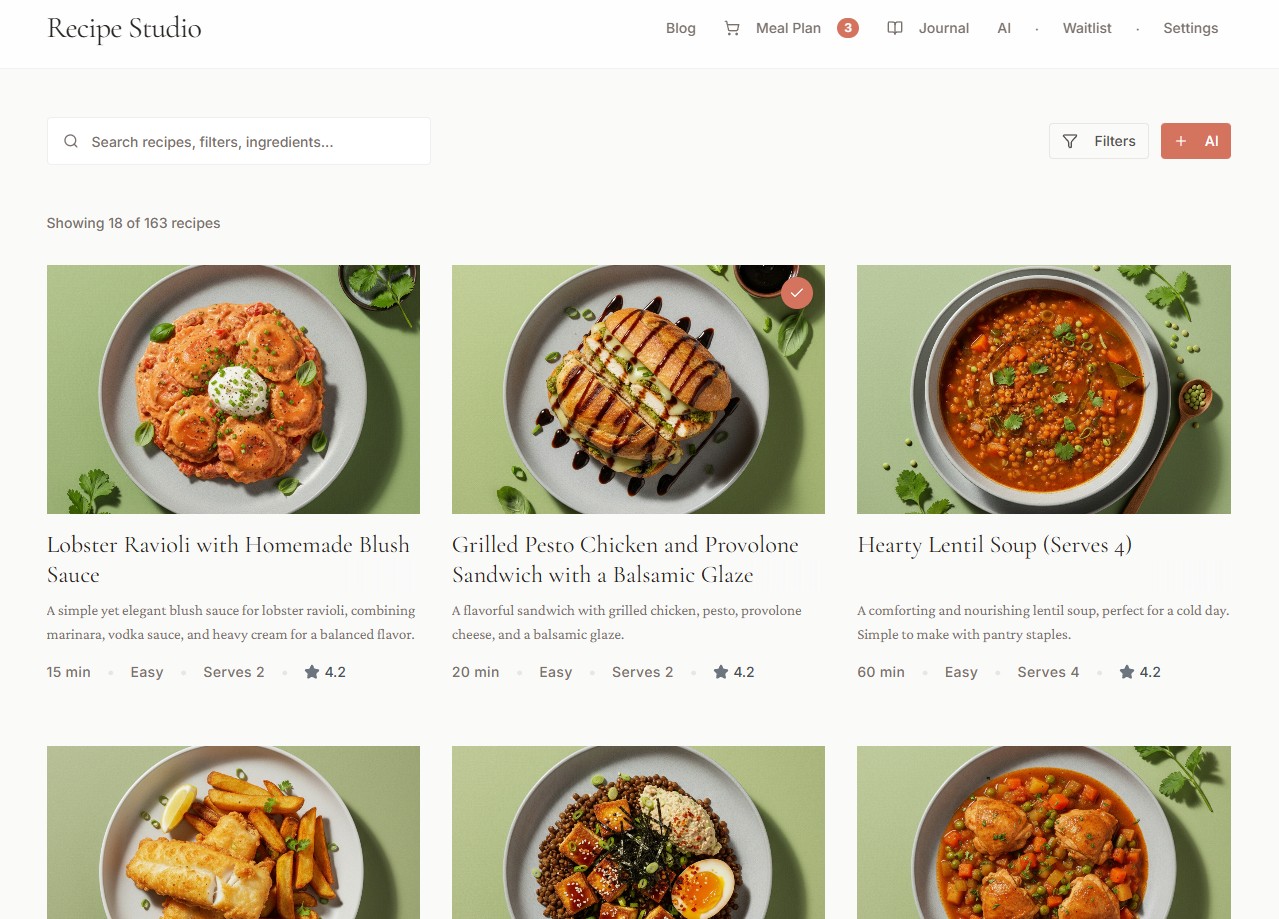
Recently, I've shifted to using AI to help me cook. It's remarkably effective at customizing recipes based on specific macros or whatever happens to be in my kitchen in New York that day. The problem, however, was that these recipes were ephemeral. Once the chat session ended, the recipe was essentially gone. I wanted a way to save and catalog these personalized creations with a consistent visual style, which led me to experiment with image generation templates to give the "catalog" a cohesive aesthetic.
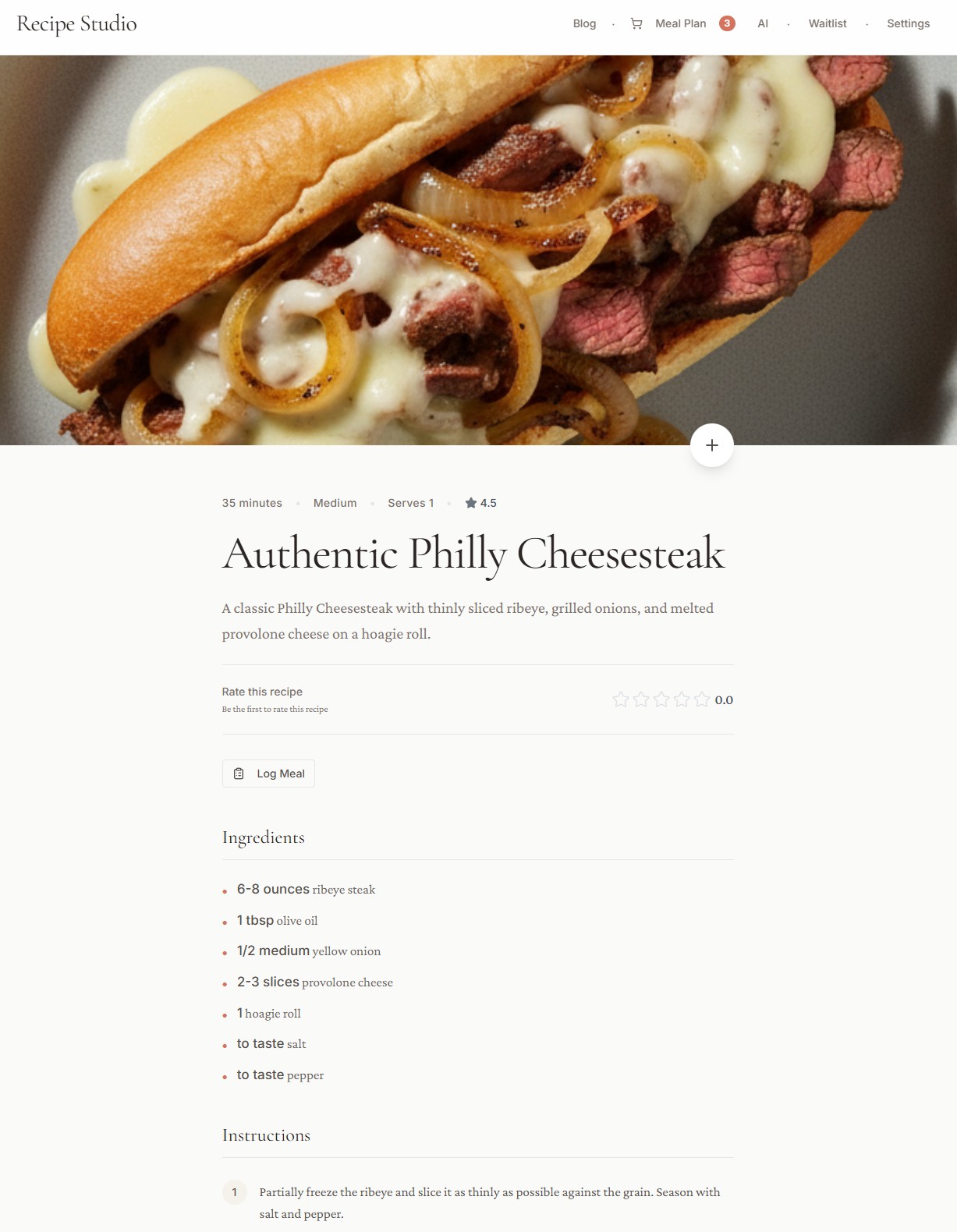
A saved recipe with AI-generated imagery and structured metadata.
The 30-Minute Prototype
I used Claude Code to build the initial mock-up. Within 30 minutes, I had a working prototype running on localhost. For a designer, this "greenfield" phase is the most rewarding—the distance between a mental model and a visual result has essentially collapsed.
Moving to Production
The real learning began when I moved beyond the mock-up. While Caliper and Mallard relied on the infrastructure of Notion and Airtable, building Recipe Studio meant I had to manage the "plumbing" myself. Even though Claude Code generated the majority of the logic, I had to architect the environment:
- Authentication: Setting up OAuth so users could actually create accounts.
- Security: Implementing Row Level Security (RLS) to ensure data privacy.
- Backend: Writing Edge Functions to integrate the Gemini API for real-time recipe processing.
This is where the gap between "greenfield CRUD app on localhost" and "production-ready application" became real. The 30-minute prototype was exciting; the weeks that followed were a different story entirely. OAuth flows, RLS policies, environment variables, API rate limits, edge function cold starts—each one a rabbit hole.
But here's the thing: I didn't need to know all of this beforehand. My approach was simply to ask Claude how to do it, and what the best ways of doing it were. Each time I hit a wall, I described the problem and got a path forward. I didn't write every line of code, but I had to understand the systems architecture to make it all talk. It was a crash course in how modern web apps are actually secured and deployed.
The Stack That Worked
Through this process, I landed on a stack that I'd recommend to anyone building a similar tool:
- Next.js — If you want a fast site that shows up in searches, this is the framework. SEO and performance are baked in.
- Tailwind + shadcn/ui — Easy and quick UI edits. When you're iterating constantly, this combination lets you move fast without fighting CSS.
- Supabase + Supabase CLI — Quick editing of your backend. The CLI especially made database migrations and RLS policies manageable.
- Gemini API — For AI image generation and chat features. The integration was straightforward and the results were solid.
- Vercel — Deployment and hosting. Push to main, it's live. That simple.
- GitHub — Version control and safeguarding your code. Essential when you're making rapid changes and need to roll back.
- Claude Code — For all the AI-assisted building. The through-line for the entire project.
The Marketing Reality
After beta testing with friends and optimizing the site for SEO, I realized that building the tool was only half the project. I spent a significant amount of time researching search trends and experimenting with social media to see how people actually discover new tools.
Building a great product and not marketing it is like being the smartest person at a cocktail party but choosing to stand in the coat closet.
It was a shift from technical problem-solving to understanding the mechanics of user acquisition—a rabbit hole that taught me as much as the coding did.
Next Steps
The goal was to build a tool that solved a personal need and could eventually run on autopilot. Recipe Studio is now at that point. It's hosted, searchable, and functional. I'm moving on to other projects, but the tool is live for anyone who wants to use it to customize their own culinary workflow.